
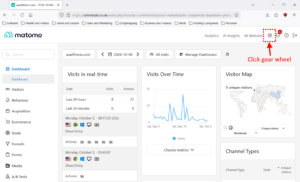
Log-in to your account at https://solentstats.co.uk/
Click the gearwheel top right to open the Administration settings
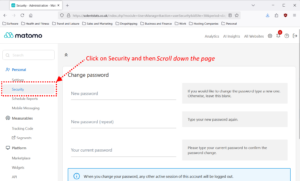
Under Personal click on Security, once the Security page has loaded scroll down to the “Auth tokens” section.
Click the green “CREATE NEW TOKEN” button.
Enter your password if prompted to do so.
Complete the fields for your token.
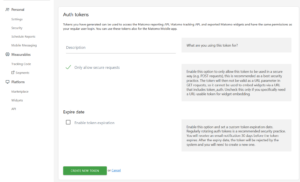
If you want your token on a certain date then click “Enable token expiration” and select a date; but this is optional.
Ensure you copy and save your token in a safe and secure location. Once created you cannot view them.