
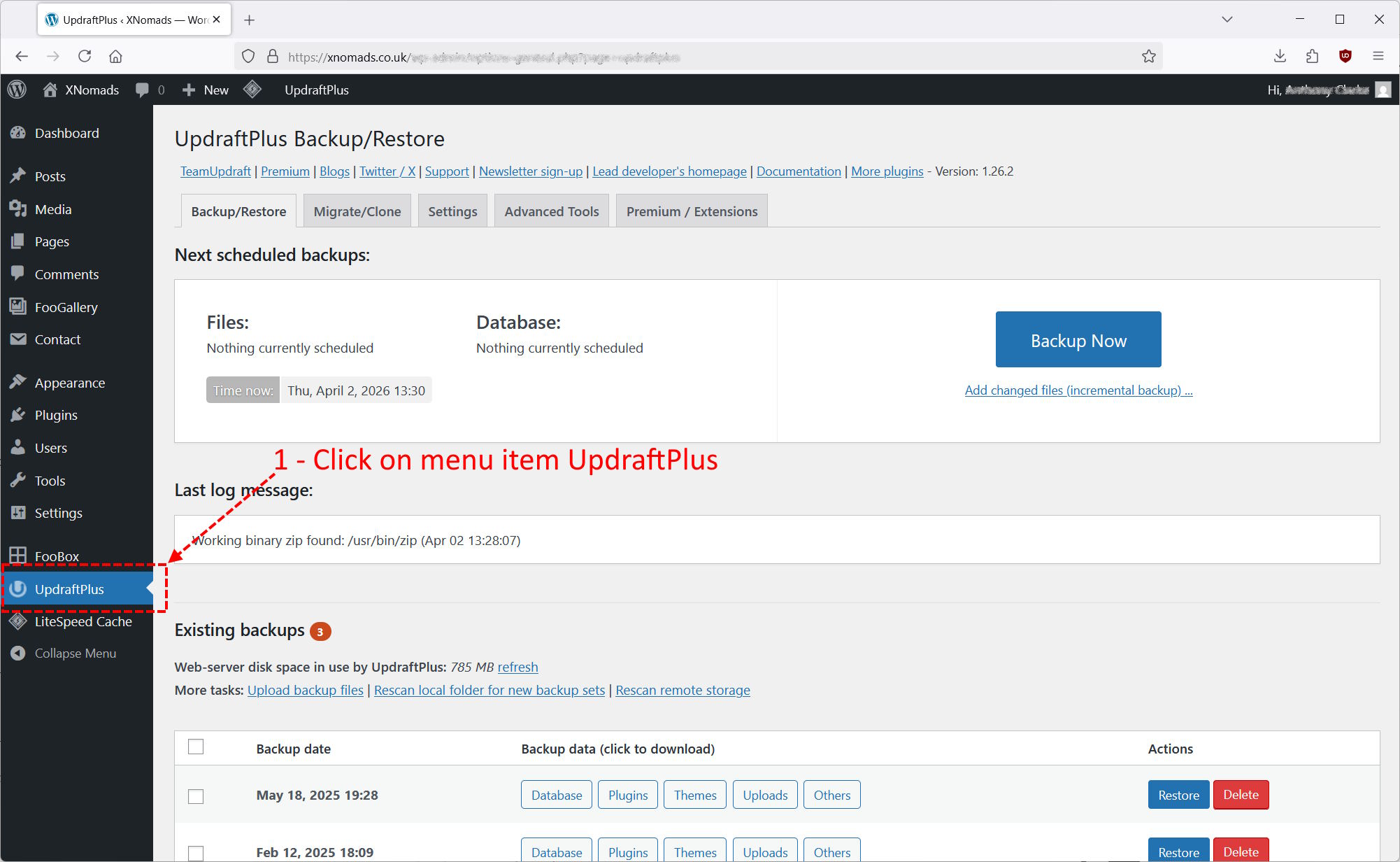
You will need to be logged into WordPress and viewing the dashboard. Down the left hand side, click on UpdraftPlus.
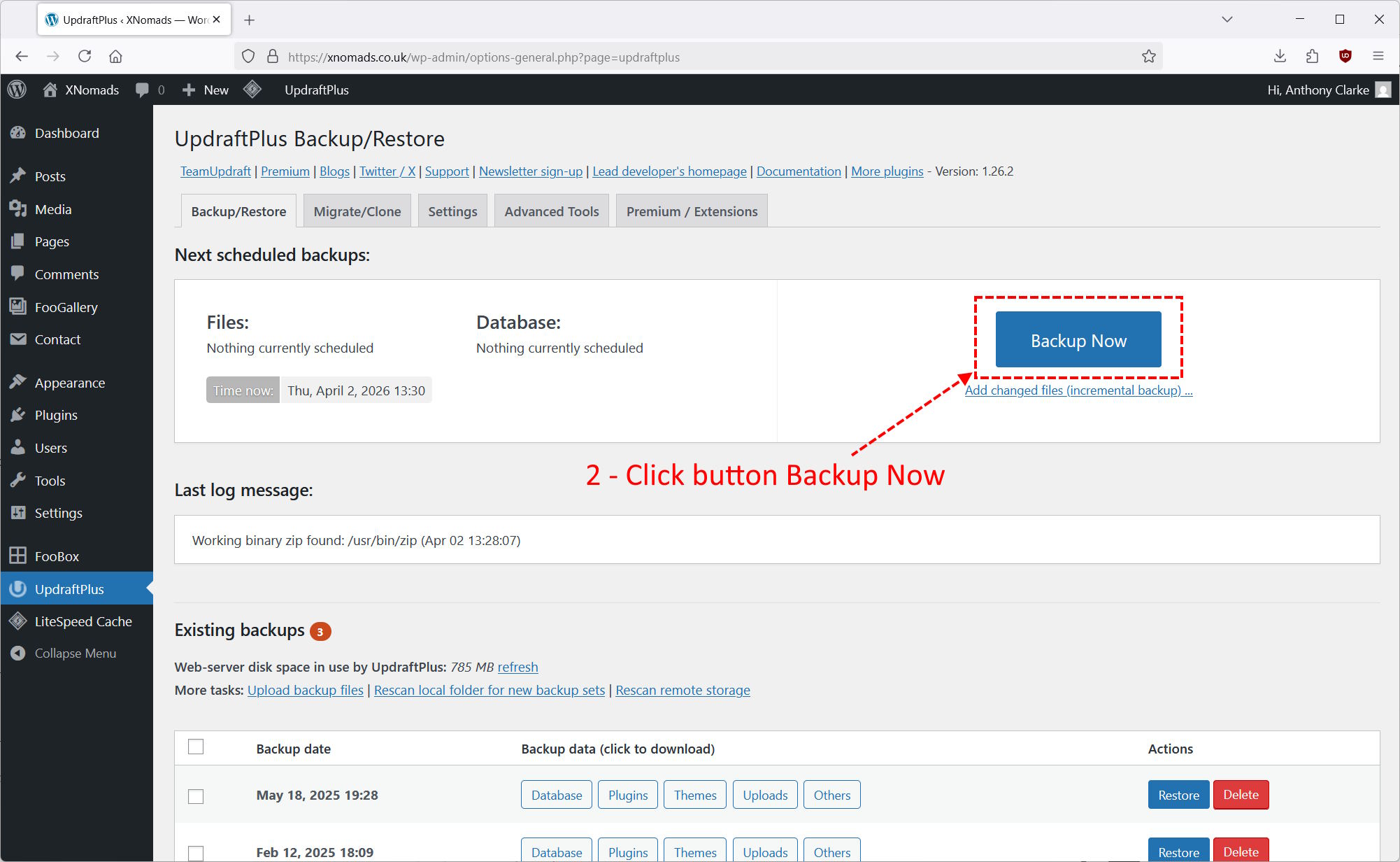
We are doing a manual Backup, click the Backup Now button
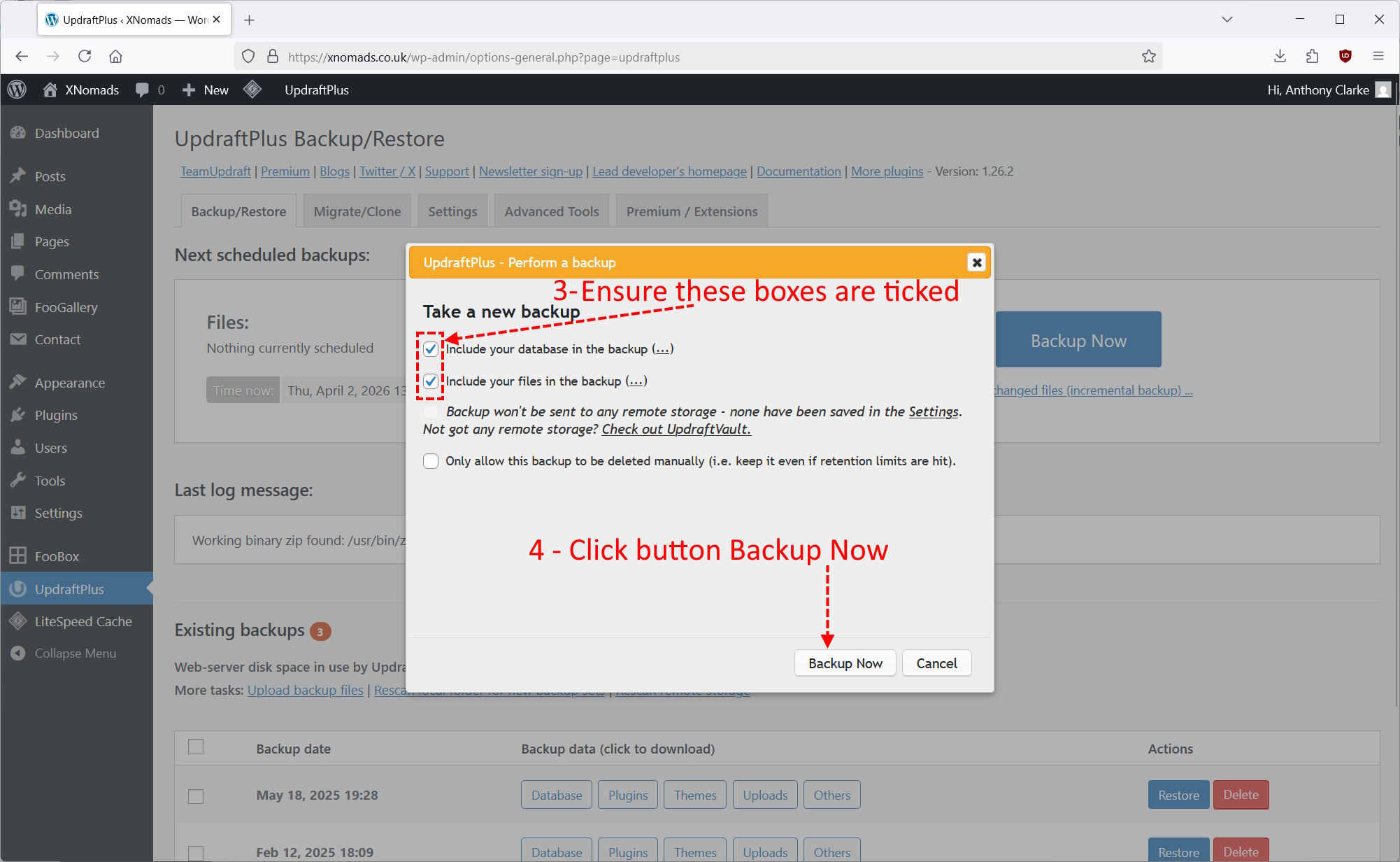
A dialog window appears, ensure the two check boxes at the top are ticked, by default they will be. Then click Backup Now.
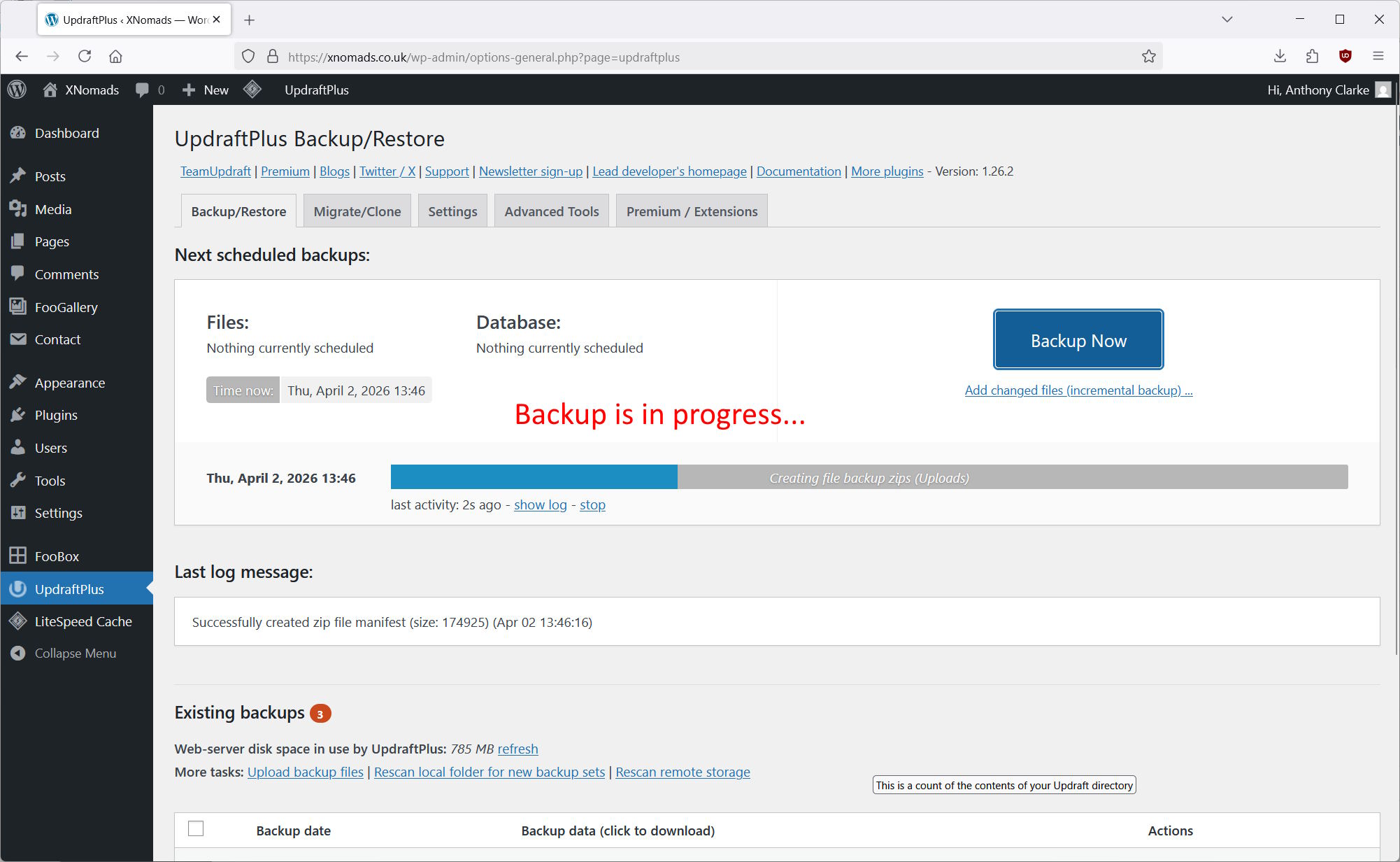
A progress bar will appear whilst the backup is done. The backup may take some time to complete depending on the size of your website.
When the backup is complete, a message box will appear to inform you it is complete. Note that this message box will automatically disappear.
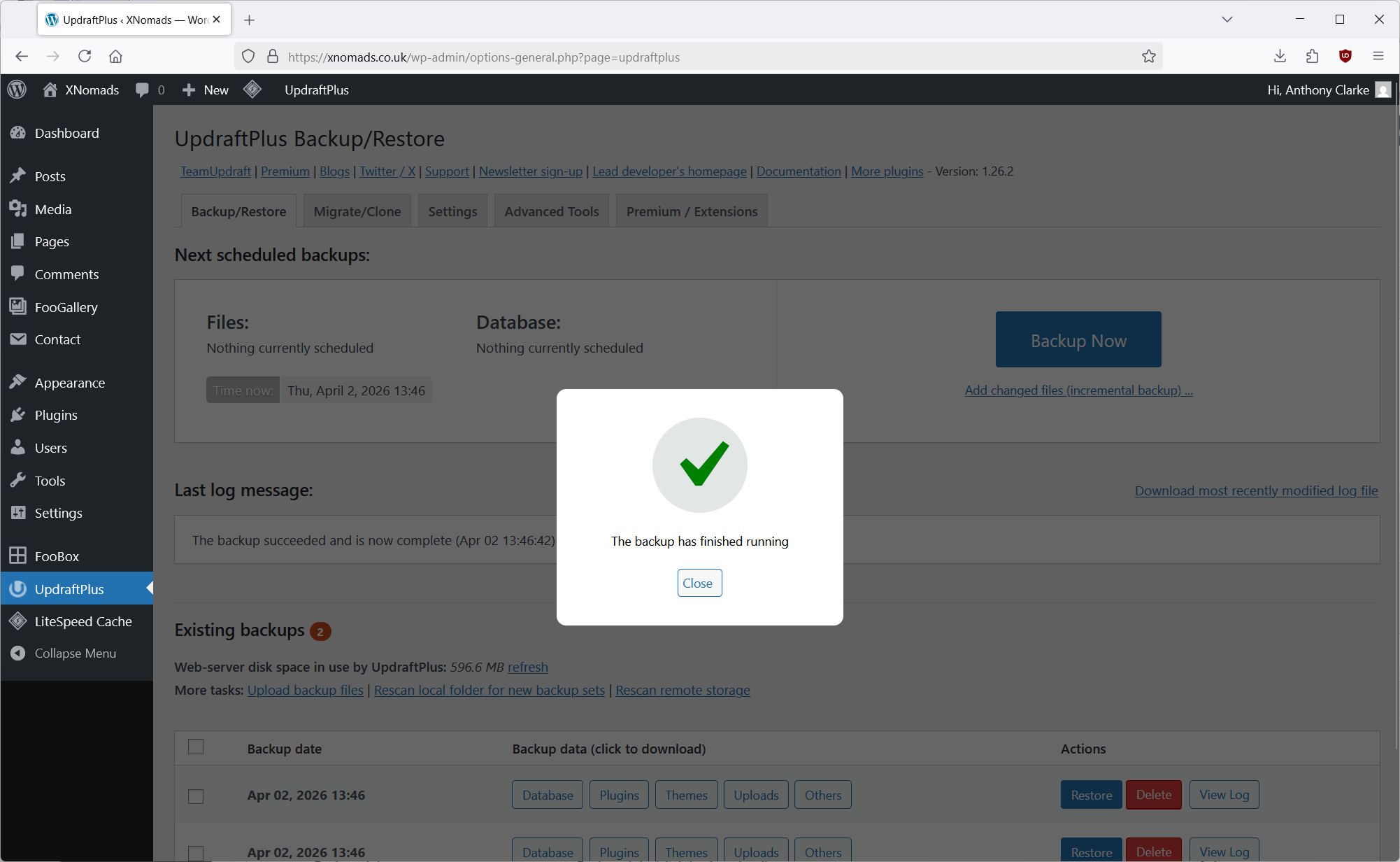
Your manual backup of WordPress is now done. You can view and download the backup files at the bottom of the page.